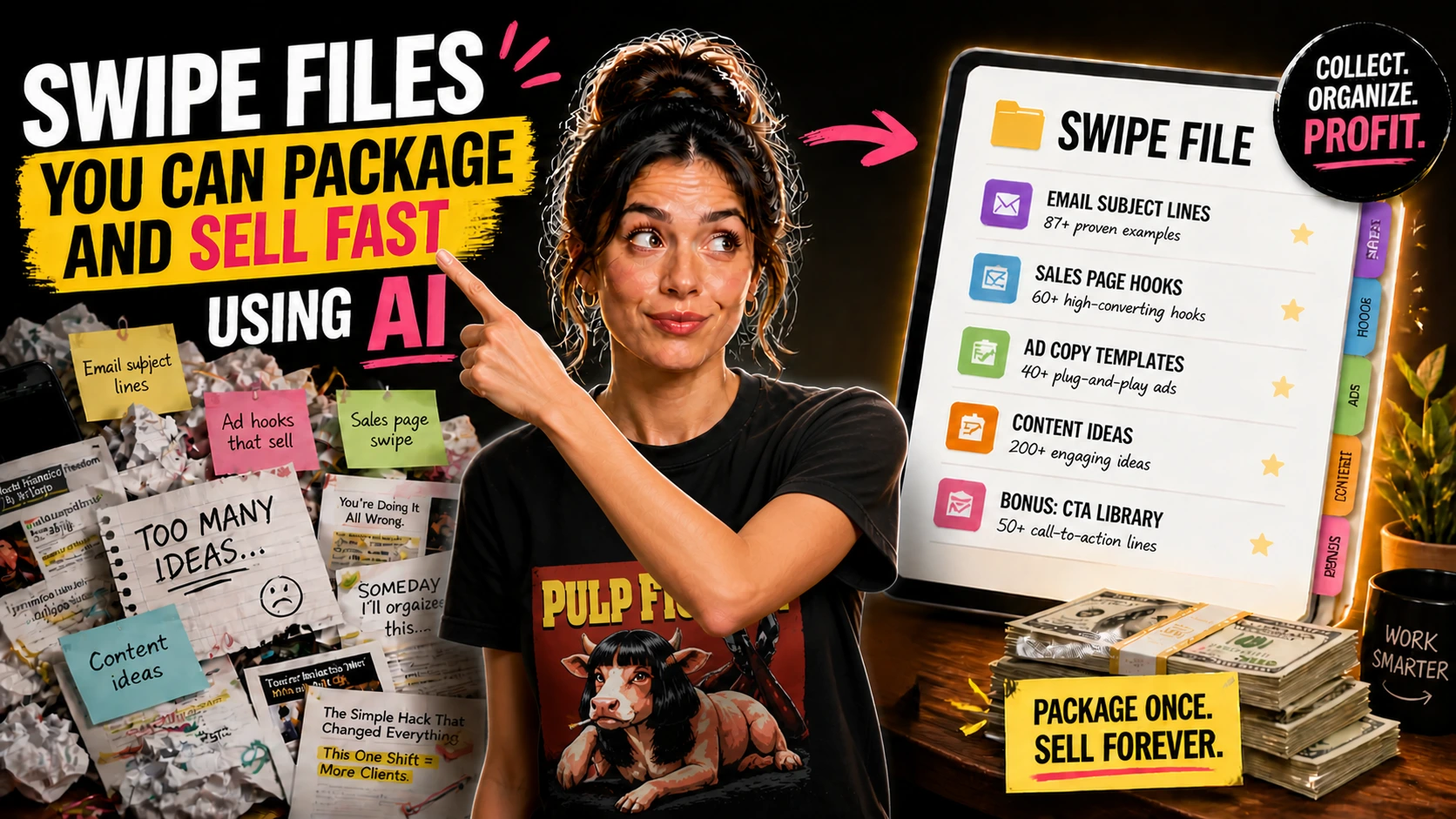
Swipe Files You Can Package and Sell Fast Using AI
I learned this one the frustrating way. A swipe file sounds simple until you open a blank doc, paste in fifty examples, and realize you still have not made anything that actually helps someone.
That moment matters because a sellable swipe file is not just a place to dump material.
It is a working tool someone opens when they are stuck, under time pressure, or tired of rewriting the same sentence for twenty minutes. A lot of people hear “swipe file” and picture a random stack of hooks, headlines, or email lines copied from wherever.
That might work as a private reference for yourself, but it usually falls apart as a paid product because the buyer still has to sort through the clutter and guess what fits their situation.
And that is the real difference between a freebie-style inspiration list and a swipe file people will pay for. A paid one saves thinking time in a specific moment.
More Than a Dump of Examples
A swipe file is a curated collection of examples people can adapt for a specific use case. It gives them language patterns, framing ideas, and starting points they can reshape for their own work.
That makes it different from a template pack.
A template pack usually gives fill-in-the-blank structures, while a swipe file gives examples and options that help someone find better wording. It is also different from a prompt pack.
Prompt packs tell you what to ask an AI tool. A swipe file shows the kind of phrasing, tone, or result you may want to aim for. And it is not really an ebook either.
An ebook explains, teaches, or walks someone through a topic. A swipe file is more like a quick reference they use in the middle of real work.
That distinction helps when you decide what to make. If your buyer needs education, a swipe file may not be enough. But if they already know the job and just need better words faster, it can be a great fit.
Think about a freelancer writing follow-up emails after sending proposals.
They do not need a thirty-page lesson on sales psychology every Tuesday afternoon. They need ten to thirty lines that help them send a better message without sounding awkward or pushy.
Why People Pay Instead of Saving Their Own
People buy swipe files because collecting examples takes more time than it seems. The real time drain is not just searching.
It is sorting, judging, trimming, renaming, and then trying to find the good stuff again later. They also buy them because examples reduce friction. When someone sees fifteen strong subject lines for a welcome sequence aimed at coaches, their brain stops spinning and starts making choices.
There is a kind of relief in that.
You stop feeling like you have to come up with every word from scratch. This is why relevance matters more than size.
A focused swipe file for Etsy product descriptions in the home decor niche can feel far more valuable than a giant file with three hundred vague sales lines that could apply to almost anything and therefore do not help much at all.
A buyer is paying for speed, clarity, and a bit more confidence. They want to open the file, find the section that matches their situation, and get moving.
That is also why beginners can do well with this kind of product.
You do not need to build software, record lessons, or create a complicated membership. You need a narrow use case, clear organization, decent judgment, and enough editing that the product feels thought through.
Give the File One Clear Job
The best swipe files usually do one thing well. Not everything, not every industry, not every platform.
You could make a swipe file of welcome email lines for coaches, onboarding messages for freelance designers, Instagram hooks for fitness creators, or sales page headlines for course creators. Each one solves a different small problem for a buyer who already knows what they need.
The narrower you go, the easier the product becomes to build and sell.
It also becomes easier for a buyer to say, “Yes, this is for me.” That matters more than people expect. A broad swipe file can sound impressive in the title, but once you open it, every section often feels too generic to be useful.
A realistic first product might be “75 Follow-Up Email Lines for Freelancers After a Proposal.”
That is concrete, easy to explain, and easy for a buyer to imagine using. Another could be “50 Welcome Email Openers for Coaches and Consultants.” Same strength.
One job, one audience, one moment where the buyer wants help right away.
Where AI Helps and Where It Does Not
AI is genuinely useful in the messy early stage. You can use ChatGPT, Claude, or Gemini to brainstorm categories, generate rough examples, create tone variations, and group similar lines into sections faster than you could by hand.
It is also helpful for cleanup.
If you already have twenty decent examples that sound clunky, AI can help smooth the wording, shorten lines, or shift the tone from stiff to conversational. And it can help you test your organization.
You can paste in a rough draft and ask for missing categories, overlap, or places where examples start sounding too similar. But this is where people get lazy and the product starts to feel cheap.
AI can generate plausible wording all day, yet a lot of it lands in that lifeless middle where nothing is obviously wrong but nothing feels sharp, specific, or memorable either.
Human judgment is what turns a pile of outputs into a product. You have to decide which examples sound real, which ones repeat the same angle, which ones are too broad, and which ones would actually help a buyer in a real situation.
This part takes more attention than the generation step.
Sometimes you will read a line and feel a little secondhand embarrassment because it sounds like something no real person would send. That reaction is useful because it tells you what needs to go.
So yes, AI makes the process faster. It does not replace taste, context, or restraint.
What Makes It Feel Useful Instead of Lazy
Useful swipe files are easy to scan. They have categories, labels, and short notes that tell the buyer when to use a certain line or why one version works better in a warmer or more direct tone.
That bit of context matters.
Without it, a swipe file can feel like a wall of text with no guidance. Say you are making a swipe file for client onboarding messages for freelancers.
You might divide it into sections like first reply after inquiry, proposal sent, project confirmed, kickoff scheduled, missing materials reminder, and boundary-setting messages. Inside each section, you could label examples by tone or goal.
Warm and welcoming, concise and professional, gentle nudge, firm but polite, or quick check-in.
Now the buyer is not just browsing examples. They are moving through decisions. This is also what separates a swipe file from a random Pinterest board or saved note.
A paid file should reduce effort, not create another sorting task.
You do not need huge volume to do that. Forty well-edited examples with clear labels and a one-page guide can easily feel more useful than two hundred weak lines packed into a PDF.
And simple formatting helps a lot. A clean Google Doc, Notion resource, or PDF with section dividers, readable type, and preview pages often works better than an overdesigned product that slows people down.
A Fast First Product That Still Feels Real
Take one example. A beginner creator could make “60 Instagram Hook Starters for Nutrition Coaches.”
The use case is clear because nutrition coaches post educational and promotional content all the time, and many of them get stuck on the first line.
The file could include categories like myth-busting hooks, client pain-point hooks, simple authority hooks, story-based openers, and offer-related hooks. AI can help generate rough drafts for each category.
Then the human step is to cut weak repeats, rewrite flat lines, make sure the language fits that niche, and add quick notes like “best for reel caption” or “works when introducing a client lesson.”
That product might end up as a fifteen to twenty-page PDF plus an editable Google Doc version. Add a cover page, a short note on how to use the file, two preview pages, and a simple sales description, and you have something real.
It is not fancy, but that is part of the appeal.
Buyers usually want the fastest useful version, not a whole ecosystem around it.
Day 1, Week 1, Month 1
On Day 1, spend about two hours choosing a narrow audience and one use case. Spend another hour asking AI for category ideas and rough examples, then another hour reviewing what came back and cutting anything bland, repetitive, or off target.
By the end of that first day, you want a rough structure, not a finished product.
A simple doc with section names and maybe forty to eighty draft lines is enough. In Week 1, expect to spend five to eight hours refining.
Rewrite examples, add labels, remove filler, and test whether the file still makes sense when you scan it quickly instead of reading every line. This is also the week to package it.
Move the content into Google Docs, Notion, or Canva, export a clean PDF, write a short instructions page, and create preview images that show a few strong sections without giving away the whole file.
If you are selling it, this is when you set up the listing on Gumroad, Etsy, or your own site. Gumroad and a personal site often make a lot of sense for swipe files because buyers usually arrive already knowing the exact problem they want solved, and direct-sale pages work well for that kind of intent.
Month 1 is usually quieter and more useful than people expect.
Spend two to four hours collecting feedback, tightening the title, adjusting the product description, and possibly making a version two with better organization or a small bonus like a Notion edition or a mini companion guide.
That first month can feel a little strange because the product is finished but still new. You start noticing small flaws only after looking at it through a buyer’s eyes, and that is normal.
Sell the Inside, Not the Hype
Packaging is mostly about reducing hesitation. The buyer should understand what the file is, who it is for, and how they will use it within a few seconds.
A clear title helps more than a clever one.
“45 Welcome Email Lines for Coaches” usually sells the idea better than something vague and brand-heavy. Your listing should also show the inside. Preview pages, section names, and one or two sample snippets help buyers judge whether the file matches their tone and need.
You can sell swipe files on Gumroad, Etsy, or a personal site.
Etsy can work when the use case is searchable and practical, while Gumroad and personal sites are strong when your audience already knows you or when the offer is a little more niche. Price usually makes more sense when it stays modest.
Many first swipe files land in the low double digits because they are quick-reference tools, not full training products, and that feels reasonable when the file is focused and polished.
The product does not need to act like a course. In fact, it often feels better when it does not.
A clean PDF, an editable doc, a concise instruction page, and a sharp title are usually enough. Add more only when it genuinely improves the experience, not when you are trying to make the offer look bigger.
A good swipe file has a quiet kind of value.
It meets someone exactly where words are slowing them down, and it gives them a solid place to start without wasting their time.
