Simple Niche Mobile Apps You Can Launch Without Overbuilding
An app idea can sound exciting right up until it starts trying to do everything at once. Meal planner, habit tracker, shopping list, calendar sync, family dashboard, AI coach, recipe bank, reminder tool, and social community all rolled into one sounds ambitious.
But it also starts to feel like a whole company before a single screen is even done.
That is where a lot of app ideas quietly fall apart. They get too big, too messy, and too expensive to build well, especially for one person or a small business trying to make something practical. A lot of app ideas get better the moment they get smaller.
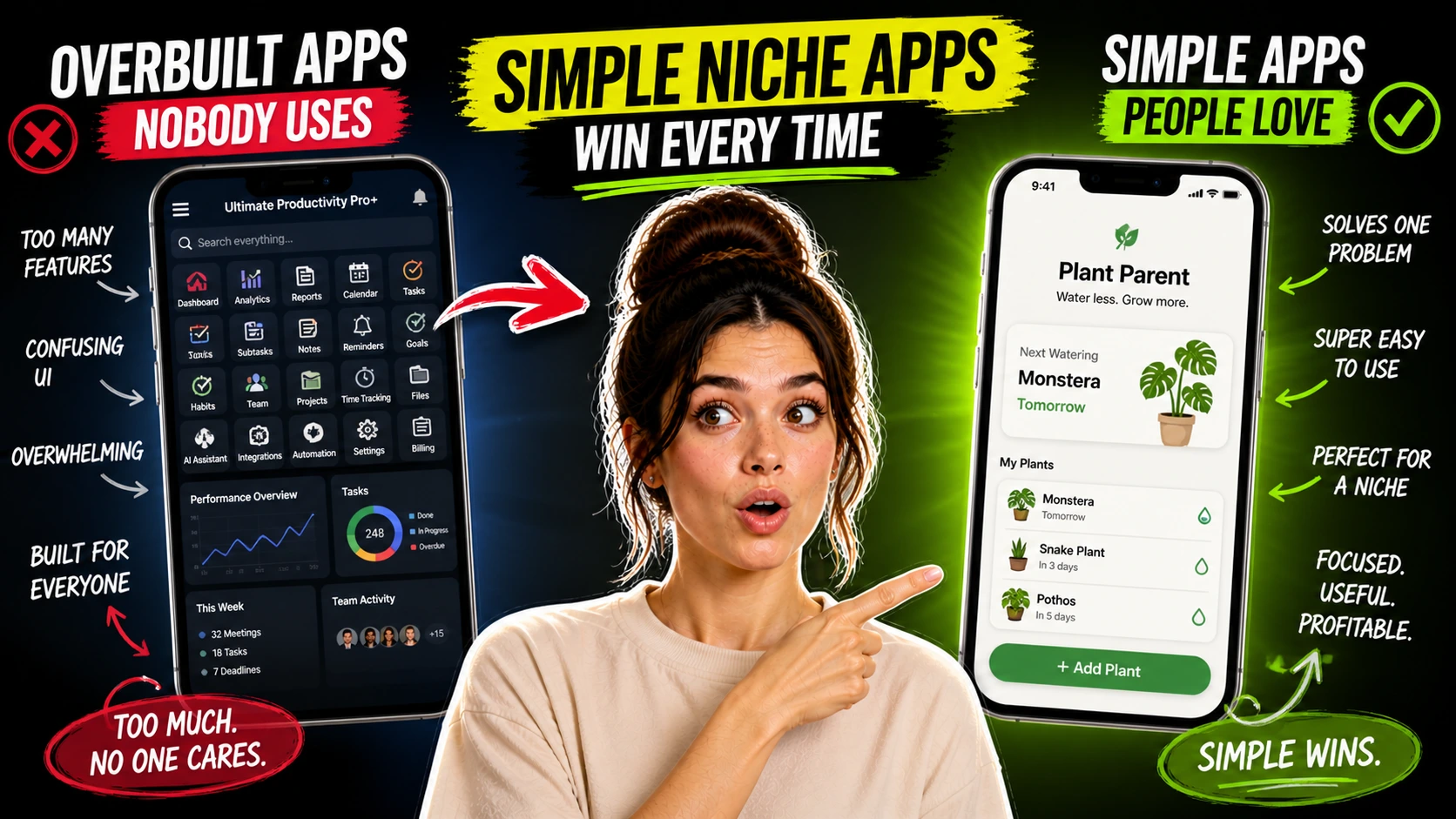
A narrow app that solves one repeated problem for one clear kind of user is usually more realistic to build, easier to explain, and more likely to become something people actually use.
That does not make it small in a dismissive sense. It makes it focused.
What a Simple Niche App Really Is
A simple niche mobile app is a lightweight app built around one main job. It is not trying to become a full ecosystem or replace five other products.
It is also not trying to impress people with a huge feature list.
That is an important distinction because a lot of people hear “app” and immediately picture a startup. They imagine a big platform with user accounts, dashboards, analytics, subscriptions, social features, integrations, and a roadmap that never seems to stop growing. A simple niche mobile app stays in a smaller lane.
It might help a travel nurse keep packing checklists by assignment type, help a pet owner remember medication schedules, or help a coach send structured session recap notes after calls.
That is different from a template, because the user is actively using it on their phone. It is different from a web app because mobile use usually means quick, repeated use in the middle of everyday life. It is also different from a content product because the value comes from doing a task, not just reading or watching something.
Why Smaller Can Work Better
People do not usually come back to a small app because it has the most features.
They come back because it helps them get through one repeated point of friction without much thought. That is why niche ideas usually beat broad app concepts meant for “everyone.”
A meal rotation app for ADHD households is clearer than a family productivity platform.
A vocabulary review app for one specific exam is clearer than an all-purpose language learning system. The narrower version gives you something solid to design around. You know what the user is trying to do, when they are likely to open the app, and what would feel like relief instead of more noise.
That clarity matters more than people expect.
It shapes the feature list, the number of screens, the onboarding, the copy, and even the app name.
Small and Complete Beats Big and Half-Built
This is where people get stuck. A realistic niche app is not just a giant startup idea with ninety percent of the features chopped off.
A useful small app feels complete in its own lane.
It has one clear promise, one main workflow, and enough structure that the user understands what it is for within a minute or two. An unfinished giant app feels different. It hints at a bunch of future features, gives you a weak version of the main one, and leaves the user feeling like they downloaded a draft instead of a product.
The goal is not to launch a stripped, disappointing version of something huge.
The goal is to build something intentionally small that stands on its own. A packing checklist app for travel nurses does not need to “grow into” a healthcare staffing platform.
If it helps users save reliable packing lists by contract type, climate, housing setup, and shift schedule, that can already be a real product with a real job.
Ideas That Actually Fit the Format
The strongest niche app ideas usually come from repeated situations, not abstract inspiration. Someone keeps doing the same annoying task over and over, and the current workaround is clumsy enough that a small app starts to make sense.
A medication reminder app for pet owners is a good example.
So is a shift handoff note app for care workers, where someone needs a fast, structured way to record what happened, what to watch, and what the next person should know. A session recap app for coaches could work well too.
Not a giant coaching CRM, just a simple tool that helps turn session notes into a clean client recap with next steps and reflection prompts.
Those ideas work because the use case is easy to picture. The user opens the app in a specific moment, does one thing, and leaves with something useful. That repeated moment is the product.
Why People Might Pay for It
Most people do not pay for small apps because they want complexity.
They pay because the app feels clear, fast, reliable, and easier than the workaround they are using now. That workaround might be the notes app on their phone, scattered reminders, paper lists, text messages to themselves, or a bloated tool that never quite fits the job.
A niche app becomes appealing when it handles the repeated task with less friction.
This is especially true for people who are busy, distracted, or already carrying too much in their head. A good small app reduces decision fatigue.
There is a quiet kind of comfort in opening an app and knowing exactly what it will help with. No maze of menus, no feature parade, no strange detours into things you never asked for. And that is often what makes a small product feel worth paying for.
Where AI Helps, and Where It Starts Adding Too Much
AI is useful early because it helps cut through blank-page friction. You can use ChatGPT, Claude, Gemini, or coding-focused tools to brainstorm niche directions, define the user, outline the main workflow, draft user stories, and test whether the app idea is actually specific enough.
It is also helpful for shaping the experience around the feature, not just the feature itself.
AI can draft onboarding copy, button text, empty-state messages, app descriptions, release notes, and in-app prompts that are much easier to revise than starting from nothing. If you are using no-code or low-code tools, AI can help you map screens and logic before you build. If you are doing a light coding workflow, including vibe-coding or assisted code generation, it can help scaffold components, suggest data structures, and speed up repetitive tasks.
That said, AI has a real tendency to bloat app ideas.
It will happily suggest dashboards, gamification, social sharing, premium tiers, push notifications, streaks, recommendation engines, and a dozen other additions before the core workflow is even good.
It can also produce code and flows that seem plausible but feel awkward in actual use. Human judgment is what keeps the app small, clear, and honest.
The Discipline of Staying Small
A simple app usually gets better when someone protects it from unnecessary growth.
That sounds obvious, but it is one of the hardest parts of the whole process. Once an idea starts feeling real, it is tempting to keep adding “just one more useful thing.”
That is how a session recap app turns into a full client portal, or how a vocabulary review app turns into a course platform with quizzes, chat, and progress analytics nobody asked for yet.
The better move is usually to keep asking one annoying question. What is the repeated problem here, and what is the smallest complete app that solves it well?
That question saves money. It also saves time, and maybe more importantly, it saves energy you would otherwise spend building features that make the app harder to finish and harder to understand.
There is a point in small product building where restraint starts to feel almost emotional. You can see the bigger version in your head, and part of you wants to chase it. But finishing the smaller version is often the thing that gives the idea a real chance.
A First Version Can Be Plain and Still Good
A realistic first version might be almost boring.
That is not an insult. Boring can be good when it means stable, understandable, and finished.
Take the meal rotation app for ADHD households. A realistic first version might let users save ten to twenty go-to meals, tag them by effort and prep style, build a simple weekly rotation, and generate a grocery list from selected meals. That is enough for a first product.
It does not need recipe scraping, family accounts, nutrition dashboards, voice AI planning, or smart kitchen integrations to be useful.
The same logic applies to a vocabulary review app for one specific exam. The first version might focus on custom word sets, spaced review, quick quizzes, and a clean daily review flow. Users often value speed and reliability more than novelty.
Test the Scope Before You Commit Too Hard
A lot of app pain starts before any code is written.
The idea sounds clear in conversation, but once you try to explain the main workflow in a few lines, it starts spilling in every direction. That is why tight validation matters.
You do not need a giant research project, but you do need to pressure-test the promise.
Can you explain what the app does in one or two sentences. Can a likely user immediately tell whether it is for them. Can you sketch the core screens without inventing a second product halfway through.
AI can help here too. You can ask it to challenge your scope, spot hidden complexity, or turn your idea into a simple user flow that reveals whether the app still makes sense when stripped down.
But the real test is human.
A person should be able to look at the app concept and say, “Oh, that would help me,” not “So is this like a platform for everything related to my life?”
Positioning Is Part of the Product
Packaging matters as much as the feature list.
Small apps live or die on positioning more than people expect. The app is not just coded. It is named, described, previewed, and introduced to the user.
A strong simple app usually has a name that hints at the specific job, screenshots that make the core flow obvious, onboarding that does not overexplain, and store copy that tells the truth about what the app is for.
That is packaging, and it changes how real the product feels. This matters whether you launch through the App Store, Google Play, early access channels, or as a companion product inside a broader business. A coach might include a recap app inside a paid program.
A consultant might offer a lightweight mobile tool as part of a service package.
A creator with a niche audience might use a small app as one paid layer alongside guides, templates, or memberships.
Where a Small App Fits in a Real Business
For a lot of creators, freelancers, and small operators, the smartest role for a mobile app is not “my entire business.” It is one useful product inside a larger body of work.
That framing helps because it lowers the pressure.
The app does not have to become a giant startup to matter. A niche educator might have a focused exam review app that sits alongside courses and worksheets. A pet care creator might offer a medication reminder app next to printable trackers and guides.
A coach could use a session recap app as a retention tool that supports a paid program rather than replacing it.
This is a healthier way to think about many small app ideas. They can be real products without carrying impossible expectations.
And honestly, that is part of what makes them interesting in 2026. When the scope is honest, the problem is real, and the user is easy to picture, a niche mobile app stops looking like an overwhelming tech project. It starts looking like what it often should have been all along: a small, useful tool that solves one repeated problem well enough that people come back tomorrow.
